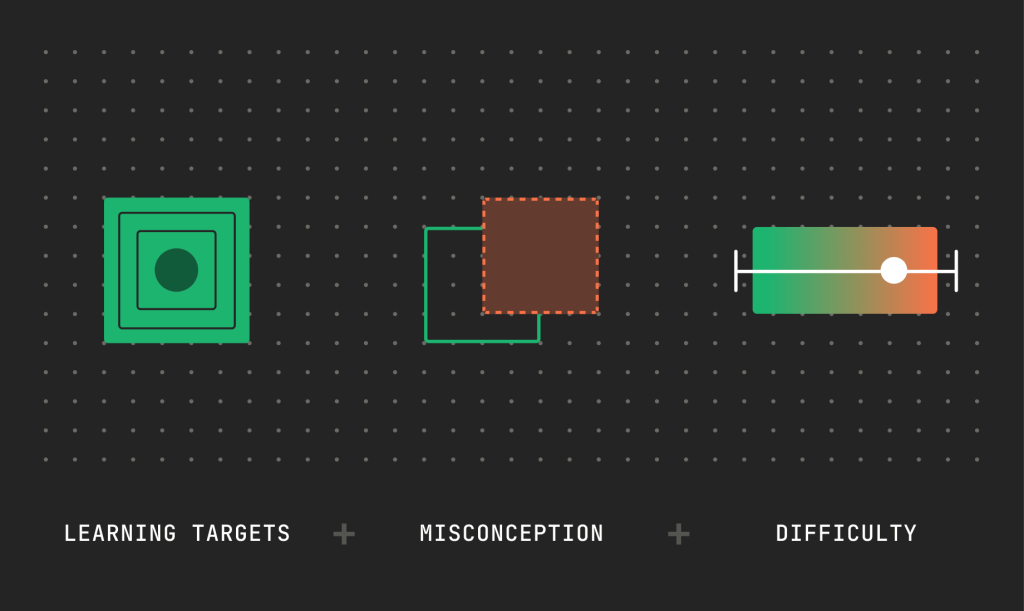
Building a more personalized math learning experience starts with helping teachers make informed instructional decisions: which learning targets to address, what misunderstandings to anticipate, and how to support students as their understanding develops. Developers can design products that help teachers prepare relevant practice, interpret student responses, and choose next steps aligned with their curriculum and knowledge of each learner.
Learning Commons brings together three complementary datasets in Knowledge Graph to support those decisions. Math Learning Components define specific, demonstrable learning targets derived from academic state standards. Eedi Misconceptions Graph describes common misunderstandings that can inform question design and help developers interpret student work. New Meridian Mastery Statistics uses student performance on math assessments to estimate how difficult covered math learning components and math state standards are to master in grades 3–8 and high school. Developers can combine these estimates with student evidence and curriculum context to compare relevant learning targets, prioritize review, and plan instructional support.
The walkthrough below shows how these resources can work together in a sixth-grade learning experience focused on finding the surface area of right triangular prisms. It follows how a developer can connect learning targets, possible misconceptions, and difficulty information to help teachers plan practice, respond to student reasoning, and adjust support as new evidence emerges.
Support adaptive learning experience with new math datasets
Each dataset contributes a different input to your product’s decision.
Developer question | Dataset | Contribution |
| What is the intended learning target? | Math Learning Components, authored by Achievement Network in collaboration with Learning Commons | Specific learning targets describing what students should know or be able to do |
| What might be blockers to mastery? | Eedi Misconceptions Graph | Common misunderstandings linked to Eedi learning goals, called constructs |
| How difficult are the relevant targets? | New Meridian Mastery Statistics | Mastery thresholds that help order covered Learning Components and standards by difficulty within a grade |
A worked example: design adaptive practice around student understanding
Imagine you’re building a math practice tool that helps teachers support sixth graders in using nets to find the surface area of right triangular prisms. A teacher selects the learning target in the context of their curriculum, and your product helps them prepare questions and follow-up activities informed by common misconceptions. As students work, the product surfaces their reasoning and suggests next steps, showing the evidence behind each recommendation. The teacher can review, adapt, or choose a different activity based on what they know about the student and the lesson’s goals.
Here’s how the datasets can inform that experience.
1. Define the learning target and task
Call find_standard_statement with code 6.G.A.4 and jurisdiction Multi-State for Common Core. Pass the returned caseIdentifierUUID to find_learning_components_from_standard.
Select “Use nets to find the surface area of right triangular prisms” (Learning Component identifier b3dcd476-fe56-53ba-84f3-ffc8f0fc21ea). Associate your questions and the resulting student work with this target.
For example, present a right triangular prism whose triangular bases have perpendicular sides of 3 and 4 units and a hypotenuse of 5 units. The prism is 10 units long. Ask students to use a net to find its surface area and show their reasoning.
The net contains two triangles and three rectangles. Each triangle has an area of 6 square units; the rectangles have areas of 30, 40, and 50 square units. Together, they total 132 square units
2. Anticipate response patterns and prepare targeted support
Use relevant records from the Eedi Misconceptions Graph to anticipate how students might approach the task. Design your product to capture their face labels, formulas, and calculations so it can respond to their reasoning.
The table below adapts selected Eedi misconception records to this problem.
Observed student work | What it may indicate |
| Correctly calculates one triangular face and all three rectangles, totaling 126 square units | The student can calculate the face areas but may be counting the triangular base only once. |
| Calculates both triangular areas correctly but also halves each rectangular area, totaling 72 square units | The student applies the triangle-area formula correctly but may be extending it to rectangular faces. |
| Draws one triangular base and three triangular side faces | The student may be representing a triangular pyramid rather than a triangular prism. |
Use these patterns to choose a useful next interaction. A single response does not establish mastery or confirm a misconception; follow-up explanations and tasks help your product refine its interpretation.
Eedi constructs are separate from Learning Components. Review each misconception’s relevance to the task and retain that association in your application.
3. Use learning progressions to find relevant review targets
When student work suggests that additional area practice would help, use Student Achievement Partners’ Math Coherence Map, the math learning progressions dataset in Knowledge Graph, to explore connected standards.
Call find_standards_progression_from_standard with the standard’s caseIdentifierUUID and direction: "backward". For 6.G.A.4, the connected standard 6.G.A.1 includes finding the area of triangles and other polygons.
Retrieve its Learning Components to identify a specific review target that fits the student’s work. Progression links connect standards and substandards; Learning Components provide the more specific targets beneath them.
4. Compare difficulty to inform review and sequencing
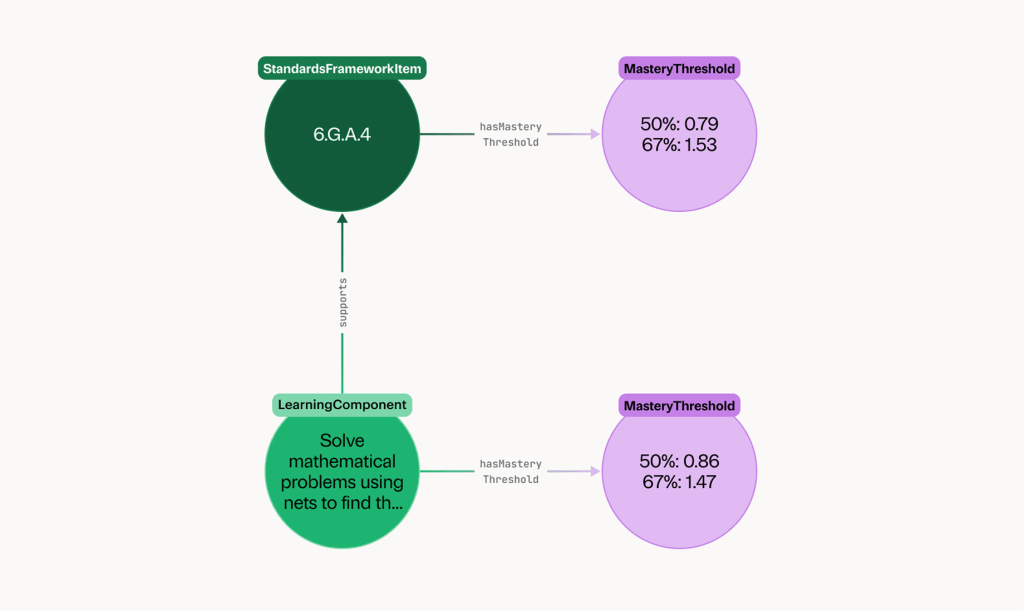
Join relevant Learning Component identifiers to New Meridian’s downloaded records through hasMasteryThreshold. Compare covered targets within the same grade using the same cutoff, such as masteryThreshold67.
Within 6.G.A.4, for example, separate Learning Components address rectangular prisms and right triangular prisms. If both have New Meridian coverage, their thresholds let your product compare their estimated difficulty to master. The same approach can help compare relevant targets under connected prerequisite standards, keeping comparisons within a grade.
Use those comparisons alongside student evidence and curriculum context to prioritize review, plan scaffolding, or inform sequencing. A higher difficulty estimate can flag a target to consider for additional support; the student’s work determines whether that support is relevant.
5. Gather new evidence and adapt
After targeted support, invite the student to revisit the prism problem and explain any changes. Follow with another task aligned to the same learning component, and make both responses available to the teacher so they can see how the student’s understanding is developing.
Use this evidence to suggest next steps for the teacher to review and adjust. As students demonstrate more consistent understanding, the product might recommend reducing scaffolding or introducing another relevant task. When responses remain mixed, it might suggest another representation or a focused follow-up question. The teacher can select or adapt the recommendation based on their knowledge of the student and the lesson’s goals.
Present each recommendation alongside the learning target, relevant student work, and the reasoning behind it. This helps teachers decide what support to provide next and assess whether it is helping.
Apply the same pattern to other features
If you are building | A useful first feature |
| Assessment authoring | Tag items to Learning Components and write answer choices that investigate selected Eedi misconceptions |
| Adaptive practice | Use student evidence to select relevant targets, then compare covered targets by New Meridian difficulty within a grade |
| Teacher dashboards | Organize student work by learning target and possible misunderstanding, with evidence behind each suggested activity |
| Lesson and practice generators | Supply the selected Learning Component, reviewed misconception references, and available difficulty information to the generation workflow |
Integrate the datasets into your product
A first implementation can combine live Knowledge Graph retrieval with downloaded New Meridian and the Eedi Misconceptions Map data. Start with one standard and one feature, such as recommending a follow-up question.
Explore the Learning Commons Dataset Catalog or our documentation to get started.